All your perps.One cockpit.
Every perp DEX in one app. One account, one list of positions. Your keys never leave your device.
Not available in your region
Install on iPhone- Hyperliquid + Aster live
- 0% Prow fee until Dec 31, 2026
- Non-custodial
Every perp DEX. One app.
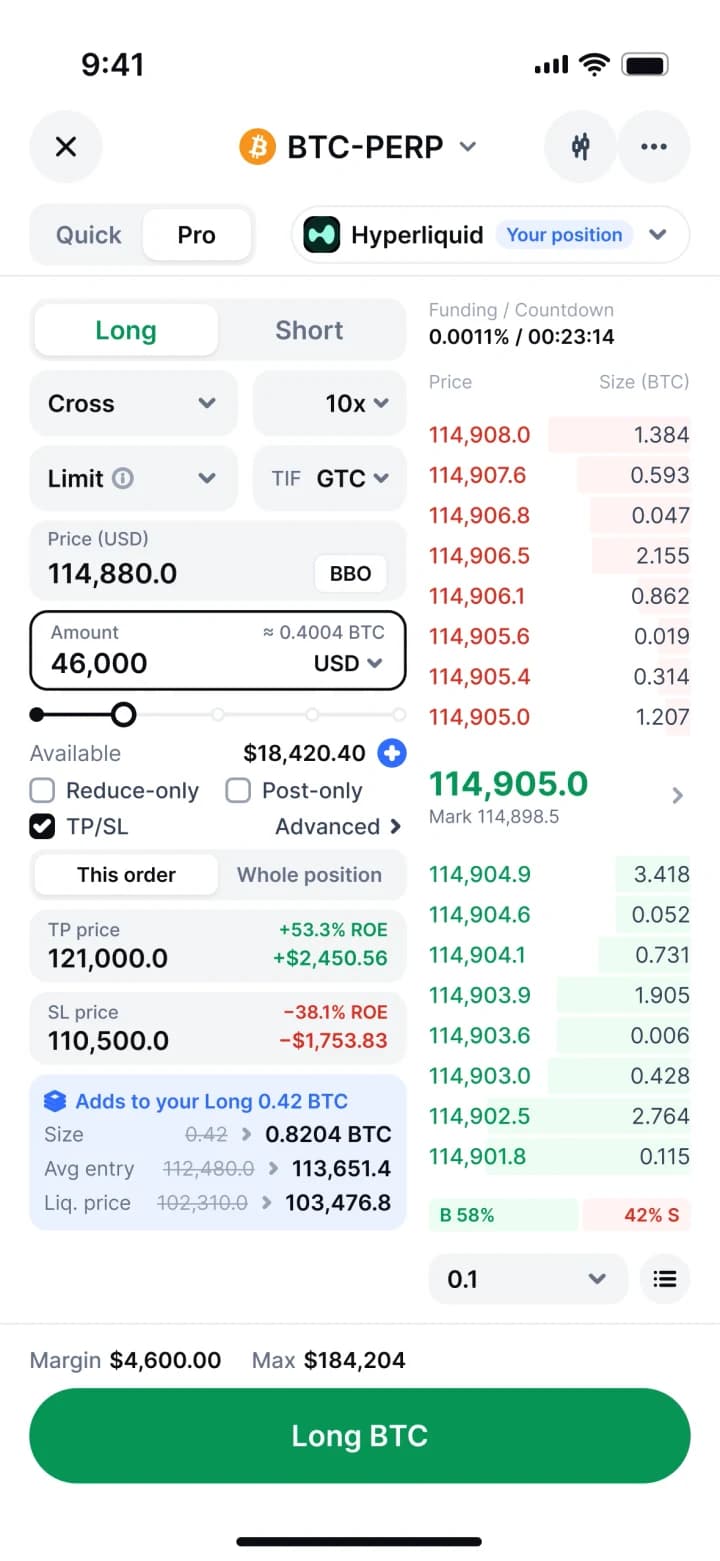
Markets, charts, order books and positions from every venue in the same screens. Connect once, pick where to trade per order, and keep one list of everything you hold.
 HyperliquidLive
 AsterLive
 LighterSoon
 ParadexSoon
 DriftSoon
 edgeXSoon
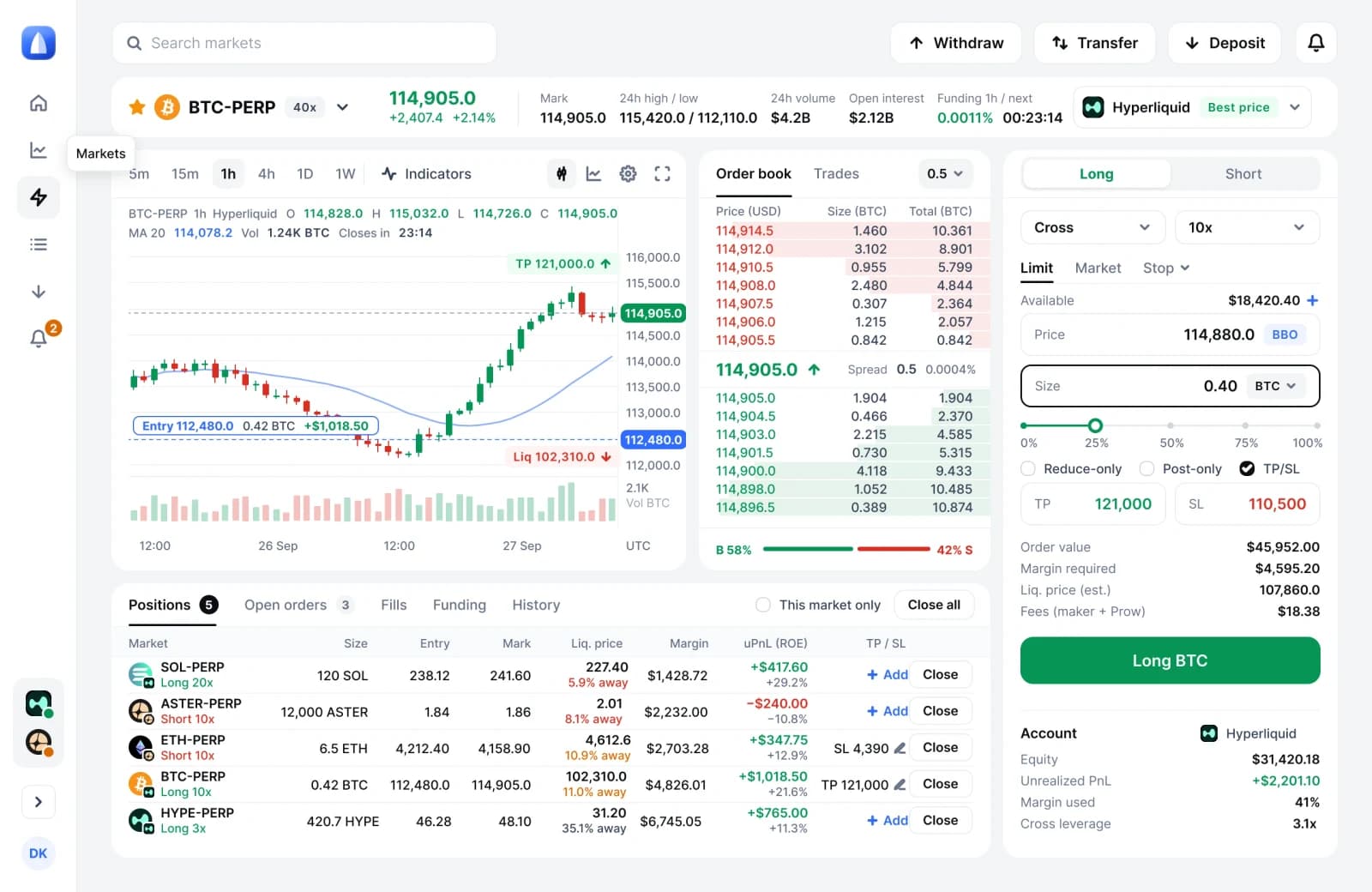
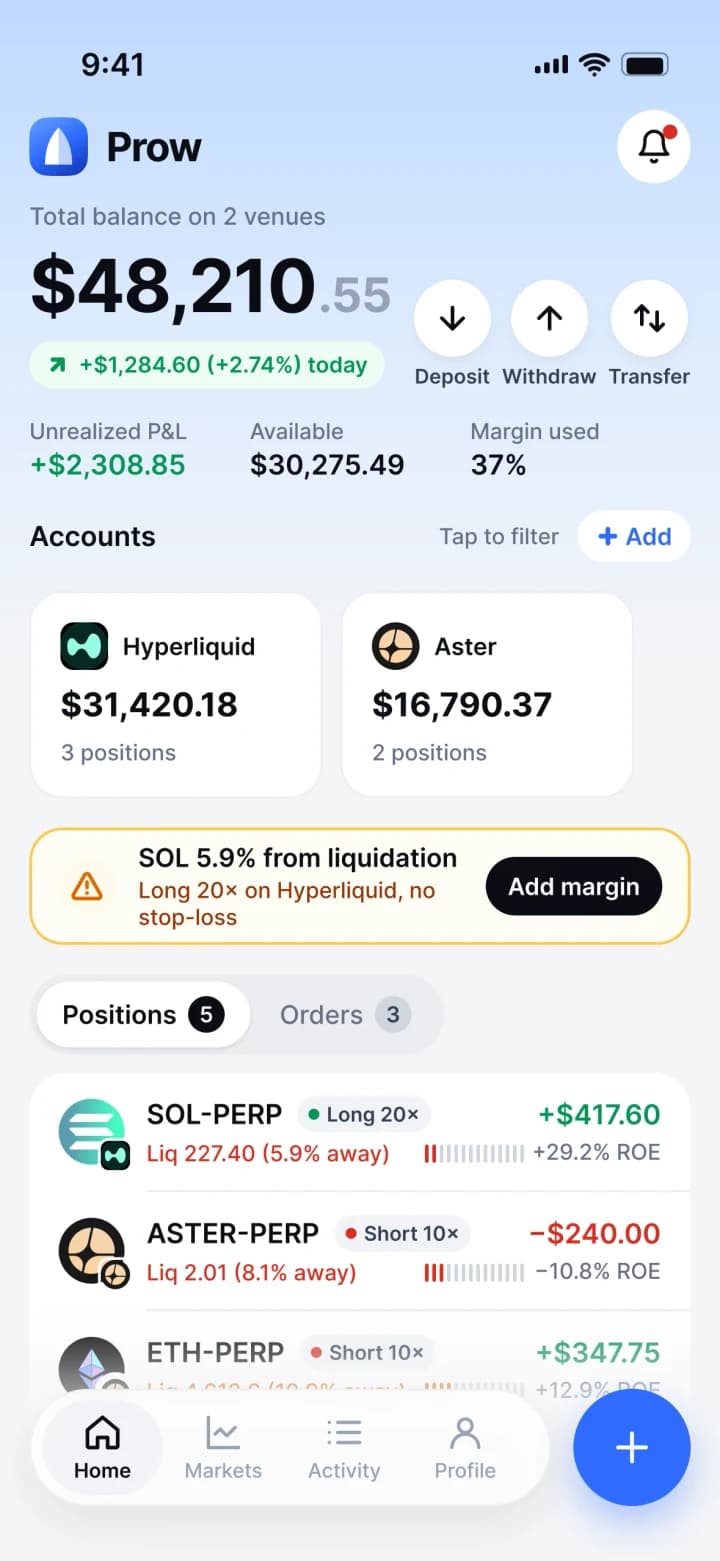
Your keys never leave your device.
Prow creates a trading key in your browser and your wallet approves it once. It is stored encrypted on this device, never sent to our servers, and expires within 180 days. Your funds stay in your own venue account. Revoke the key any time.
Your wallet
Owns the funds. Signs withdrawals.
This device
Holds the trading key, encrypted.
The venue
Checks the key and executes.
The trading key can
- Place and cancel orders
- Set TP/SL and leverage
- Close positions
The trading key can't
- Withdraw funds
- Transfer between accounts
- Leave this device
Three steps to your first order.
- 01
Sign in
Google, email, Apple or your wallet. No new seed phrase to write down.
- 02
Connect a venue
Approve a trading key for this device with one signature. Funds stay in your venue account.
- 03
Trade
Markets, charts, order book and a ticket built for your thumb. Every position in one list.
Prow fee until Dec 31, 2026
0%0.025%
Trade free for launch. You only pay the venue.
- Per order0% until Dec 31, 2026
- From then on0.025% per order
- SubscriptionNone
- Deposits and withdrawalsNo Prow fee
- Spread markupNone
An app without the App Store.
Prow installs from the browser in a few seconds, opens full screen and sends push alerts. Updates arrive automatically.
iPhone
Safari, iOS 16.4 or later
- 01Open Prow in Safari
- 02Tap Share
- 03Tap Add to Home Screen
Android and desktop
Chrome, Edge, Brave, Arc
- 01Open Prow in Chrome
- 02Tap Install app, or the install icon in the address bar
- 03Open Prow from your home screen or dock
Questions.
No. Your balance stays in your own account on each venue. Prow is an interface: orders are signed on your device and executed by the venue under its rules.
Place, change and cancel orders on the venue you approved it for. It cannot withdraw or transfer funds; withdrawals are always signed by your main wallet. The key is created in your browser, stored encrypted on this device and expires within 180 days.
Only the venue's own trading fees until Dec 31, 2026: Prow charges 0%. After that, 0.025% per order on top of venue fees. No subscription, no deposit fee from Prow, no spread markup.
Hyperliquid and Aster today. Lighter, Paradex, Drift and edgeX are next.
No. Prow runs in the browser and installs to your Home Screen as an app, with push alerts on iPhone (iOS 16.4 or later) and desktop.
Everywhere except the United States, the United Kingdom, the European Union, the United Arab Emirates, Ontario, and sanctioned countries and regions.
Every venue. One cockpit. Your keys.
Not available in your region
Install on iPhone